
One Delay Can Cost Your Entire Cruise
A quick coverage check now protects you from the problems no one sees coming
Short Excerpt
- Wi-Fi on your first cruise can cost more than expected when daily rates, device limits, premium internet plans, and roaming charges aren’t included in your original budget.
- You may not need a paid internet package for everything. Many cruise lines allow access to onboard schedules and app features without purchasing full internet service.
- Learn how to compare Wi-Fi plans, calculate the total cost, avoid maritime roaming charges, and stay connected without paying for services you won’t use.
Quick Take
- Check what’s available free. Your cruise line’s app may provide schedules, reservations, and other onboard features without a paid internet package.
- Calculate the full package cost. Check how many days, users, and simultaneous devices the price covers before purchasing.
- Match the package to your needs. Basic messaging, browsing, video calling, and streaming may require different service levels.
- Prevent unexpected roaming charges. Use airplane mode at sea, manually enable Wi-Fi, and verify that cellular service remains disabled.
- Compare onboard Wi-Fi with port connectivity. Download essential information before sailing and consider mobile data in port where your plan provides coverage.
How Much Internet Do You Really Need on Your First Cruise?
You’ve booked your first cruise, compared cabin options, and worked out what you expect to spend on drinks, excursions, and other extras.
Then you open your cruise planner and discover another decision waiting for you: whether to purchase an internet package.
At first, the daily price might not seem unreasonable.
However, once you account for the length of your sailing, the number of people traveling with you, and the devices everyone wants to connect, the total can become considerably more expensive than expected.
That’s particularly frustrating when you aren’t sure how cruise internet works or whether you’ll actually need it every day.
Perhaps you want to message family at home, check the weather, and share a few vacation photos.
You might also need reliable connectivity for work or want to stream entertainment during evenings in your cabin.
Those are very different requirements, yet first-time cruisers sometimes purchase an expensive package because they don’t know which features are necessary.
The best approach is to understand exactly what you’re buying before you commit.
Separate the Cruise Line’s App From Paid Internet Access
One of the most important distinctions for your first cruise is that connecting to the ship’s Wi-Fi network doesn’t necessarily mean you’ve purchased internet access.
Many cruise lines allow passengers to connect to their onboard networks to use designated features of the cruise line’s app.
Depending on the operator, those features may include daily activity schedules, restaurant information, reservations, account details, and ship navigation tools.
You may be able to use these functions without purchasing a general internet package.
However, free app access doesn’t automatically include browsing websites, using WhatsApp, sending ordinary text messages, or accessing social media.
Guest-to-guest messaging may also have different rules depending on the cruise line.
Before purchasing internet for your first sailing, check which activities the free onboard network actually supports.
You could discover that the tools you need to organize your vacation are already available without paying for full internet access.
Decide Whether You Need Messaging, Browsing, or Streaming
Cruise internet packages are often marketed with names that sound straightforward but don’t necessarily explain every restriction.
A lower-tier plan may support certain messaging or social media functions without allowing unrestricted browsing or streaming.
Another package may offer wider internet access but impose limits on supported services or simultaneous devices.
Premium options may be marketed toward streaming and video calling, although performance can still vary with coverage, network demand, and shipboard conditions.
Top Cruise Deals From Trusted Cruise Lines
Compare exclusive online offers and find the fare that fits your trip and your budget

For your first cruise, start by identifying your essential activities.
If you’re primarily interested in sharing occasional photos and checking email, you may not need the most expensive package.
However, travelers who must participate in video meetings or upload substantial amounts of content should review the provider’s supported applications and performance expectations carefully.
Even a premium package shouldn’t be treated as a guarantee of uninterrupted high-speed connectivity.
When the internet service is essential for work or another important commitment, having an alternative plan is worth considering.
Calculate the Total Before You Decide Whether the Price Is Worth It
The daily advertised price is rarely the most useful figure when you’re comparing cruise internet packages.
What matters is the final amount you’ll pay for the coverage you actually need.
For example, a seven-night cruise can generate very different internet expenses depending on whether you purchase one plan, multiple individual plans, or a package that supports several simultaneous devices.
Some operators allow passengers to switch an authorized connection between devices, while others distinguish between the number of devices allowed online at the same time.
That difference can determine whether a couple needs two separate purchases or can manage with one connection.
You should also check whether the package covers the entire sailing, can be purchased for individual days, or has a minimum purchase period.
Buying only for sea days may sound economical, but it won’t be possible under every operator’s purchasing rules.
Compare the actual terms rather than assuming all cruise lines follow the same pricing system.
First-cruise Wi-Fi cost example
First-Cruise Wi-Fi Cost Calculator
Adjust the values to estimate how much internet could cost during your first cruise.
Illustrative estimate only. Actual cruise-line prices, device rules, discounts, and fees vary. This calculator assumes a separate daily charge for each paid connection.
Understand Why Airplane Mode Matters Before Sail-Away
One of the most expensive connectivity mistakes on a first cruise can happen without purchasing a Wi-Fi package at all.
Your phone may connect to maritime cellular service when the ship is away from land.
That service can be billed differently from ordinary domestic cellular coverage and may generate substantial roaming charges.
Passengers sometimes assume they’re protected because their mobile plan includes international travel benefits.
However, international roaming coverage doesn’t necessarily include cellular networks operating at sea.
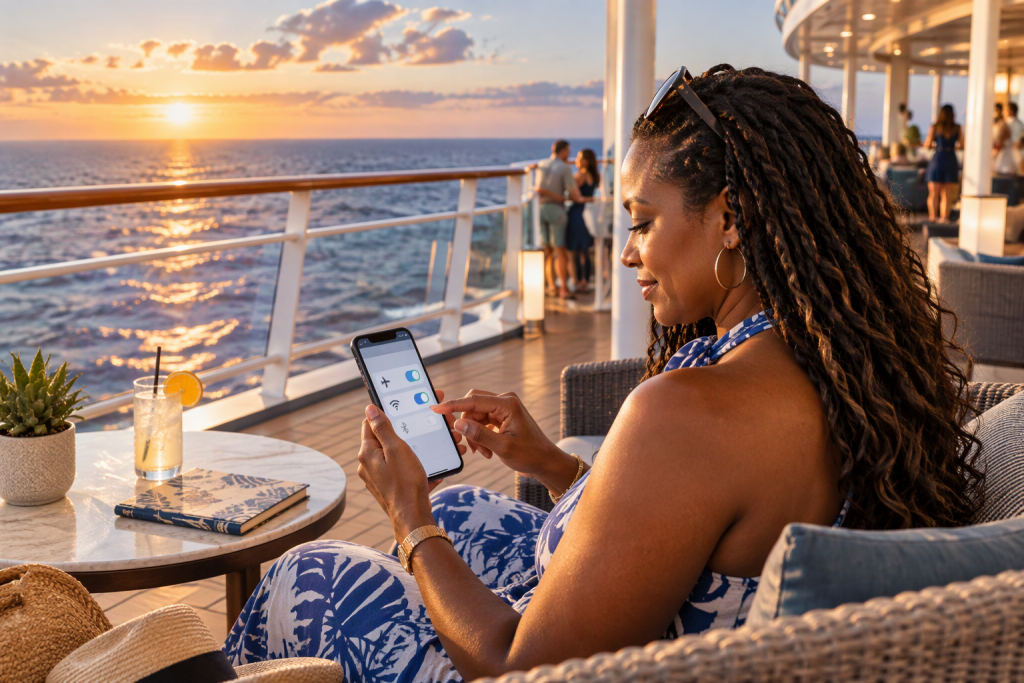
Before the ship leaves port, enabling airplane mode and manually turning Wi-Fi back on is a practical way to avoid an unwanted maritime cellular connection.
Online‑Only Cruise Offers You Won’t Find Elsewhere
Unlock special pricing and start planning the sailing that matches your perfect itinerary

Confirm that cellular service remains disabled and check whether your device has any additional settings that could permit roaming.
Once you’re in port, you can use cellular service again if your mobile plan covers that destination and you’ve verified the applicable rates.
That distinction is particularly important during your first sailing because maritime service and land-based roaming are separate arrangements.
Find Out Whether Mobile Data in Port Could Reduce Your Internet Costs
Your first cruise might include several destinations where you can access ordinary land-based mobile networks.
If you need internet primarily for maps, transportation arrangements, and messages while exploring ports, a suitable international mobile plan or travel eSIM may cover those needs without purchasing additional shipboard internet.
Services such as Airalo and Yesim offer destination-based data options, although coverage and eligibility depend on the plan and your device.
You should check whether your phone supports eSIM installation and whether the plan includes the countries on your itinerary.
Remember that mobile coverage in port doesn’t mean the same service will work while sailing between destinations.
In fact, land-based cellular signals may disappear shortly after the ship leaves shore.
An eSIM should therefore be treated as a potential solution for port connectivity, not as a direct replacement for satellite internet during sea days.
If you need reliable access at sea, you’ll still need to evaluate your cruise line’s internet arrangements.
Prepare for the First Cruise With an Offline Backup
Reducing your internet spending becomes much easier when you don’t depend on a connection for every travel activity.
Before leaving home, download any documents, maps, and entertainment you’ll want during the trip.
Save copies of your travel confirmations and other essential information somewhere accessible without mobile data.
You can also download podcasts, books, or permitted streaming content in advance rather than paying for a premium internet package simply to keep yourself entertained in the cabin.
If you’re traveling with family, discuss how you’ll coordinate onboard before assuming everyone needs paid messaging access.
Your cruise line’s app may provide suitable communication features, or you may prefer arranging simple meeting times and locations.
For travelers who want to share photos online, saving them and uploading during a planned connection period may be sufficient.
These decisions can substantially reduce the amount of connectivity you actually need.
Make Your Wi-Fi Decision Part of Your First-Cruise Budget
It’s easy to treat internet access as a minor extra when you’re comparing packages alongside the cost of an entire cruise.
However, paying for multiple devices over several days can create a meaningful expense.
The most useful question isn’t whether the cruise line’s internet is cheap or expensive.
It’s whether the service will improve your particular vacation enough to justify the cost.
For some first-time cruisers, being able to stay in contact with family or manage essential work will make a paid package worthwhile.

Luxury Cruise Experiences at Smarter Prices
See premium sailings and upgraded cabins priced for travelers who know how to book well
Others will prefer using the ship’s included app features and connecting occasionally while in port.
Both approaches can work.
The goal is to finish your first cruise knowing that you paid for connectivity you actually used—not an expensive package you purchased because you were afraid of being disconnected.
Once you understand the free features, package restrictions, device limits, and roaming risks, choosing an internet plan becomes a much more manageable decision.
How to Avoid Wi-Fi Sticker Shock on Your First Cruise Before Buying an Internet Package
If you are planning your first cruise and worried about Wi-Fi costs spiraling out of control, you are not alone.
Wi-Fi is one of the first things that can turn a “great cruise deal” into a nervous little budget spiral.
Cruise internet pricing can feel confusing, especially when device limits and tiered plans appear in fine print.
You book the fare, you feel good about the number, and then the internet options pop up like a separate mini-vacation you didn’t plan for.
That moment is especially jarring when you are cruising for the first time, because you do not yet have a feel for what you will actually need.
Some travelers truly need full internet every day, and paying for it can be worth the relief.
Other travelers only need messaging, ship info, and occasional checks in port, and they end up paying for far more than they use.
Sticker shock is avoidable, but only if you understand what you’re buying and what your cruise line is really offering.
An “internet package” is the cruise line’s paid plan that gives your device access to the internet over the ship’s satellite connection, usually sold by day, by device, and by speed tier.
Most lines also offer free onboard Wi-Fi access for ship functions, like the cruise app, daily schedule, reservations, and sometimes basic guest-to-guest messaging.
So the real decision is not “Wi-Fi or no Wi-Fi.”
The real decision is how much internet you need beyond the ship’s free features, and how many devices truly need it.
Once you separate those two ideas, the pricing stops feeling mysterious.
From there, you can choose a plan that supports your trip without turning your onboard account into a surprise.
Why Cruise Wi-Fi Costs Shock First-Time Travelers
Cruise internet feels expensive because it is not the same product you buy on land.
The ship is relying on satellite connectivity, and that bandwidth is shared by thousands of guests at once.
Even with improvements like Starlink on some fleets, the system still has real constraints that show up as pricing, throttling, and tiered plans. (Norwegian Cruise Line)
Cruise lines also price Wi-Fi in a way that captures the “vacation urgency” of staying connected.
When you’re away from home, you might be willing to pay for reassurance, not just for speed.
That’s not a criticism of you, because wanting to feel reachable is completely normal.
The win is understanding that the price is partly about the tech and partly about the psychology.

Sail Away to Paradise Without Overpaying
Find cruise deals that make it easy to escape, relax, and enjoy the ocean without stretching your budget
There is also a structural reason the numbers look bigger than you expect.
Most internet plans are priced per person per day, and some are priced per device per day, and those two models can create very different totals for couples and families.
A single traveler with one phone might see a “reasonable” daily price.
A family with four devices can turn the same “reasonable” price into a number that feels wild by day seven.
That is why your best move is always multiplying the plan by your real number of devices and your real number of days.
Sticker shock usually disappears when you do the multiplication early, instead of discovering it after embarkation.
Bandwidth Is Shared
Cruise Wi-Fi is pricey partly because the ship is distributing limited satellite bandwidth across thousands of people.
The Device Count Matters
Families feel sticker shock faster because every extra device multiplies the daily cost.
Psychology Adds Pressure
Uncertainty makes “just buy it” feel safer, which is exactly when overpaying happens.
Understand What Cruise Internet Packages Really Include
First-time cruisers often assume “internet package” means full internet, everywhere, anytime, with no catches.
In practice, most lines sell tiered plans that control what you can do and how smoothly it works.
A social tier might focus on messaging and social apps.
A browsing tier is usually built for email, websites, and basic scrolling.
A streaming tier is meant to support video calls and streaming media, which typically requires a higher bandwidth allocation.
Those tiers can have different rules about speeds, supported services, and device switching.
So the package name matters less than what the package is designed to do.
It also helps to know what you can do without paying for full internet.
Many cruise lines let you connect to the ship’s Wi-Fi network to use the cruise app for free, even if you do not buy an internet plan.
That means you can still view daily schedules, restaurant menus, entertainment times, port arrival info, and ship maps.
Disney, for example, tells guests to connect to the “DCL-GUEST” network to access the Navigator app and purchase internet packages, which is a good reminder that ship Wi-Fi and paid internet are two different things. (Disney Cruise Line)
If your main goal is coordinating with your travel party and checking ship info, you may need far less paid internet than you assume.
This is one of the biggest money savers for beginners, because it reduces the fear that “no plan means no connection.”
Tiers Are Real
Most cruise lines sell Wi-Fi in tiers, so you should match the tier to what you actually do online.
App Access Helps
Ship apps often work on the Wi-Fi network even without buying full internet, which reduces what you need to pay for. (Disney Cruise Line)
Names Can Mislead
Ignore the marketing label and focus on what the package supports in real life.
Avoid the Three Moments Wi-Fi Sticker Shock Hits Hard
Sticker shock tends to land in three predictable moments, and the first one is before you even sail.
You see a per-day price in the planner, you think, “That’s not terrible,” and then you notice it is per person, per day, plus multiple devices.
The second moment hits on day one when you realize you only purchased it for one device, but now you want it on your phone and your tablet.
The third moment is the most painful, because it often happens after the cruise ends.
That’s when your phone quietly connects to maritime roaming, and you find charges you never intended to create.
Kiplinger notes that maritime roaming can be extremely expensive, with very high rates for calls, texts, and data. (Kiplinger)
If you prevent these three moments, you prevent most Wi-Fi anxiety.
The easiest way to prevent the worst surprise is a simple habit.
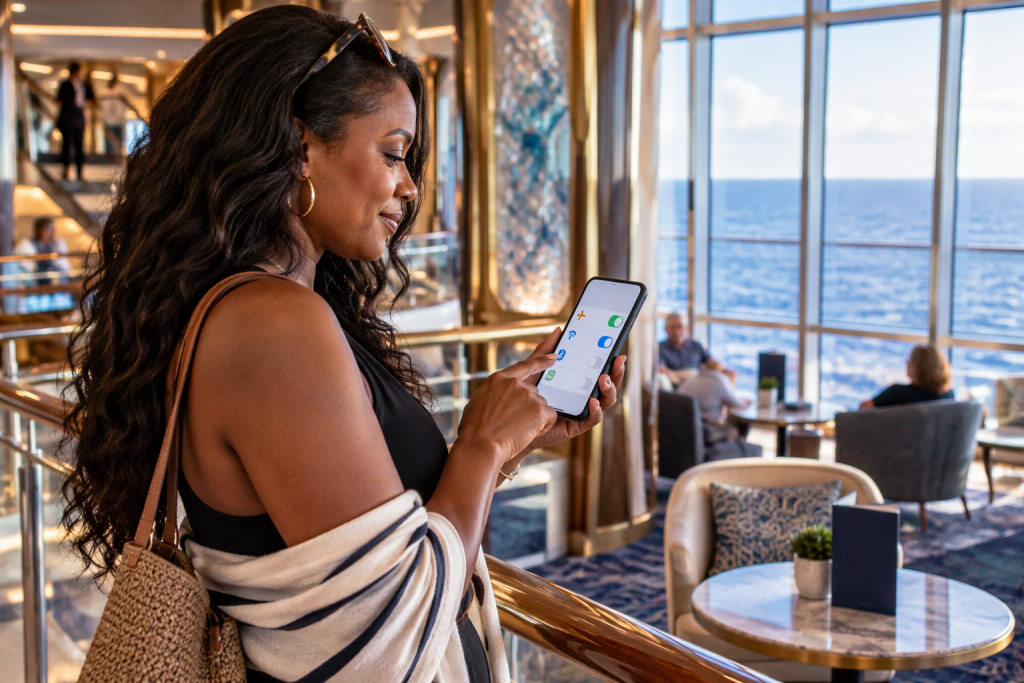
As the ship leaves port, put your phone into airplane mode and then manually turn on Wi-Fi.
That keeps your phone from jumping onto the ship’s cellular-at-sea network.
If you need cellular in port later, you can turn airplane mode off when you are back on land and you’ve confirmed your carrier plan.
It sounds small, but it protects you from the kind of bill that feels personal because it was accidental.
Beginner confidence is often just a few simple habits repeated consistently.
This is one of the most important ones. (Kiplinger)
Multiply Early
Most sticker shock comes from forgetting to multiply the daily price by days and devices.
Day-One Reality Check
Many travelers realize they need internet on more devices than they planned once they are onboard.
Airplane Mode Saves You
Airplane mode plus Wi-Fi is the simplest way to avoid expensive maritime roaming surprises. (Kiplinger)
Build a Simple Wi-Fi Plan So Your First Cruise Feels Easy
The easiest way to control Wi-Fi spending is deciding what you want from connectivity before you board.
Not what you fear you might need, but what you actually want.
Do you need to work, join video calls, or upload content every day.
Do you only want to text family, check email, and upload photos at night.
Do you want to unplug at sea and only connect in port.
Each of those patterns leads to a different, often cheaper plan.
When you choose your pattern first, the package choice becomes straightforward.
Start with device strategy, because that is where money disappears quietly.
Most first-time cruisers do not need full internet on every device.
A common winning setup is one paid device for the “manager” of the trip, plus free app access for everyone else.
That lets you handle reservations, check times, message the group, and handle true needs without paying to keep four devices fully online.
When you want to switch devices, some lines allow it, and some don’t, and the rules vary.
So the safest way to plan is assuming each paid plan is tied to a device or user unless your cruise line clearly states otherwise.
That assumption keeps you from planning an “internet share” that the ship won’t allow.
Then build an “offline first” habit that makes you less dependent on Wi-Fi.
Download maps for port cities in advance.
Save boarding documents and travel confirmations offline.
Download shows, playlists, and podcasts before you leave home.
These habits reduce the need for a premium plan because your entertainment and navigation no longer depend on satellite bandwidth.
If you also want connectivity in port without paying ship prices, this is where travel eSIMs can help.
Options like Airalo, Yesim, Drimsim, and Sally Sim can give you mobile data in ports for maps and messaging, which can reduce how many days you feel forced to buy onboard internet.
A secure connection matters too, especially when you’re using public Wi-Fi in cafés or terminals, and NordVPN can add protection when you need to log into accounts away from home.
One Device Often Wins
Many first-timers can keep costs down by buying internet for one device and using ship app access for everything else.
Offline Prep Pays
Downloading maps and entertainment before you sail reduces your dependence on expensive satellite internet.
Port Data Helps
Using an eSIM in ports can reduce the number of onboard Wi-Fi days you feel you need.
Compare Cruise Line Wi-Fi Models Before You Buy
Wi-Fi pricing and plan structure change meaningfully by cruise line, and that is why generic advice often fails.
Some lines sell clear tiered plans with published starting prices.
Some lines build internet into bundles or fares.
Some lines include basic Wi-Fi by default and charge only for an upgrade.
So the decision gets easier when you stop thinking “Wi-Fi is Wi-Fi” and start thinking “my cruise line has a specific model.”
Below is a beginner-friendly way to compare the models without getting lost.
Use it as a checklist, not as trivia you have to memorize.
Carnival is a good example of clearly tiered plans, because it lists Social, Value, and Premium plans on its official site. (Carnival Cruise Lines)
Princess is a good example of device-based packages, because it describes MedallionNet packages with one-device and four-device options starting at stated prices. (Cruise Vacations)
Norwegian is a good example of “unlimited package” framing, because it advertises unlimited Wi-Fi packages and notes they are powered by Starlink. (Norwegian Cruise Line)
Royal Caribbean is a good example of a branded internet product, because it markets VOOM Surf + Stream, and its planner pages show per-guest per-day pricing that can vary by sailing and sale. (Royal Caribbean)
MSC is a good example of pre-purchase discount pressure, because it promotes buying Wi-Fi ahead of time for a discount versus onboard pricing. (MSC Cruises)
Virgin Voyages is the most beginner-friendly example if you hate Wi-Fi upsells, because it states that Wi-Fi is included on every sailing, which changes the entire decision. (Virgin Voyages)
Quick Model Snapshot
Carnival and Princess publish tier and device structures that make it easier to plan your total in advance. (Carnival Cruise Lines)
Watch For Sales
Royal Caribbean and MSC commonly market discounts for pre-purchase, which can reduce the per-day pain if you truly need it. (Royal Caribbean)
Included Changes Everything
Virgin’s “Wi-Fi included” positioning removes a major source of first-time cruiser anxiety. (Virgin Voyages)
Wi-Fi Cost Breakdown Infographic Blueprint
A Wi-Fi infographic should do one job for a first-time cruiser.
It should make the total cost predictable in under thirty seconds.
That means it needs to show the multipliers that create sticker shock.
Days, devices, tier, and whether you buy in advance or onboard.
If you want a visual that actually changes behavior, the infographic should also include the two biggest money savers: “one paid device” and “port eSIM for maps.”
Below is a layout you can turn into a simple graphic, a printable, or a Pinterest-style image.
It is intentionally structured to reduce anxiety, not to overwhelm.
Infographic Block 1: Choose Your Need
Social and messaging, browsing and email, streaming and video calls.
Infographic Block 2: Count Your Devices
One device, two devices, family multi-device.
Infographic Block 3: Multiply Your Days
Full cruise, sea days only, or “only when I need it.”
Infographic Block 4: Add The Hidden Add-Ons
Service fees, device upgrade cost, premium tier difference.
Infographic Block 5: Use The Two Savings Switches
Offline downloads before sailing, port data via eSIM instead of buying premium every day.
Infographic Block 6: Avoid The Worst Surprise
Airplane mode at sail-away, then Wi-Fi on. (Kiplinger)
The Total Comes From Multipliers
Sticker shock is usually days times devices times tier, not one “bad price.”
Savings Switches Are Simple
Offline downloads and port eSIM data often reduce the number of paid Wi-Fi days you buy.
Protect Against Roaming
Airplane mode at sea is the easiest way to avoid the most expensive surprise. (Kiplinger)
Avoid These Common Wi-Fi Mistakes That Cost Beginners More
The most common mistake is buying a plan before you know what you truly need.
That sounds obvious, but the cruise planner makes it feel urgent, and urgency creates overspending.
A safer move is deciding your connectivity “role” first.
If you’re the family coordinator, one device with internet can be enough.
If you’re a content uploader, you may want a higher tier, but you still might not need it every day.
If you’re trying to unplug, paid internet might not serve your goals at all.
Once your role is clear, the plan becomes a tool instead of a reflex.
Another big mistake is paying for ship Wi-Fi to solve a port problem.
In port, your phone can often do what you need with mobile data, especially for maps, ride shares, and quick messaging.
That is why eSIM options matter for cruisers.
Airalo, Yesim, Drimsim, and Sally Sim can be a practical way to get data in port without paying ship internet rates all day.
Then ship Wi-Fi becomes something you buy for sea days or for specific needs, not something you buy because you fear being disconnected.
Security mistakes are also common, because travelers hop onto public networks without thinking.
If you need to log into sensitive accounts in terminals or cafés, NordVPN can reduce risk, and if you’re serious about reducing spam and data exposure over time, Incogni can help remove personal data from data brokers.
This is not about paranoia.
It’s about not turning travel connectivity into a long-term headache.
Don’t Buy From Urgency
If you feel rushed into choosing, you’re more likely to buy too much.
Port Needs Are Different
Many “I need Wi-Fi” moments are actually “I need port data for maps and messages” moments.
Security Saves Stress
A secure approach to public Wi-Fi prevents problems that feel far worse than the cost of a plan.
Defuse the Fears That Push First-Time Cruisers to Overspend on Wi-Fi
Most Wi-Fi anxiety is emotional, not technical.
You’re not just buying bandwidth.
You’re buying the feeling that you can reach family, handle an emergency, and share moments without friction.
That’s reasonable, and it’s why the decision can feel loaded.
The trick is giving yourself a plan that answers the fear without overbuying.
When the fear is answered, the math becomes easy to accept.
That is the goal.
One common fear is being unreachable.
A simple way to reduce that fear is setting expectations before you sail.
Tell key people at home when you will check in.
Use the ship’s app messaging if your line supports it, and check in once per day from a common ship location with stronger signal.
Another fear is that work will explode without you.
If you truly need work connectivity, you can budget for it without guilt, but you can still reduce cost by limiting it to one device and choosing the tier that matches your actual work tasks.
A third fear is missing out on posting and sharing.
If posting is part of your joy, you might choose a better plan, but you can still save money by uploading in batches, using port data, and relying on offline drafts.
None of this requires giving up fun.
It just requires choosing the plan that fits your real reasons.
Expectations Reduce Anxiety
Most “I need internet” stress disappears when your check-in rhythm is planned in advance.
One Work Device Helps
Work connectivity is often manageable when it’s limited to one device and a realistic tier.
Batch Sharing Saves
Uploading in batches and using port data can keep social sharing fun without premium pricing every day.
Stay Connected Without the Surprise Bill
Wi-Fi sticker shock is avoidable because it follows predictable patterns.
When you decide what you need, count devices honestly, plan for port days, and use airplane mode at sea, you remove the biggest surprises. (Kiplinger)
From there, the cruise line’s model becomes easier to evaluate, whether it’s tiered plans like Carnival’s, device bundles like Princess, unlimited packages like Norwegian, or included Wi-Fi like Virgin. (Carnival Cruise Lines)
The best outcome is not “the cheapest Wi-Fi.”
The best outcome is finishing your cruise feeling relaxed about what you spent and confident about what you chose.
Featured Image Prompt
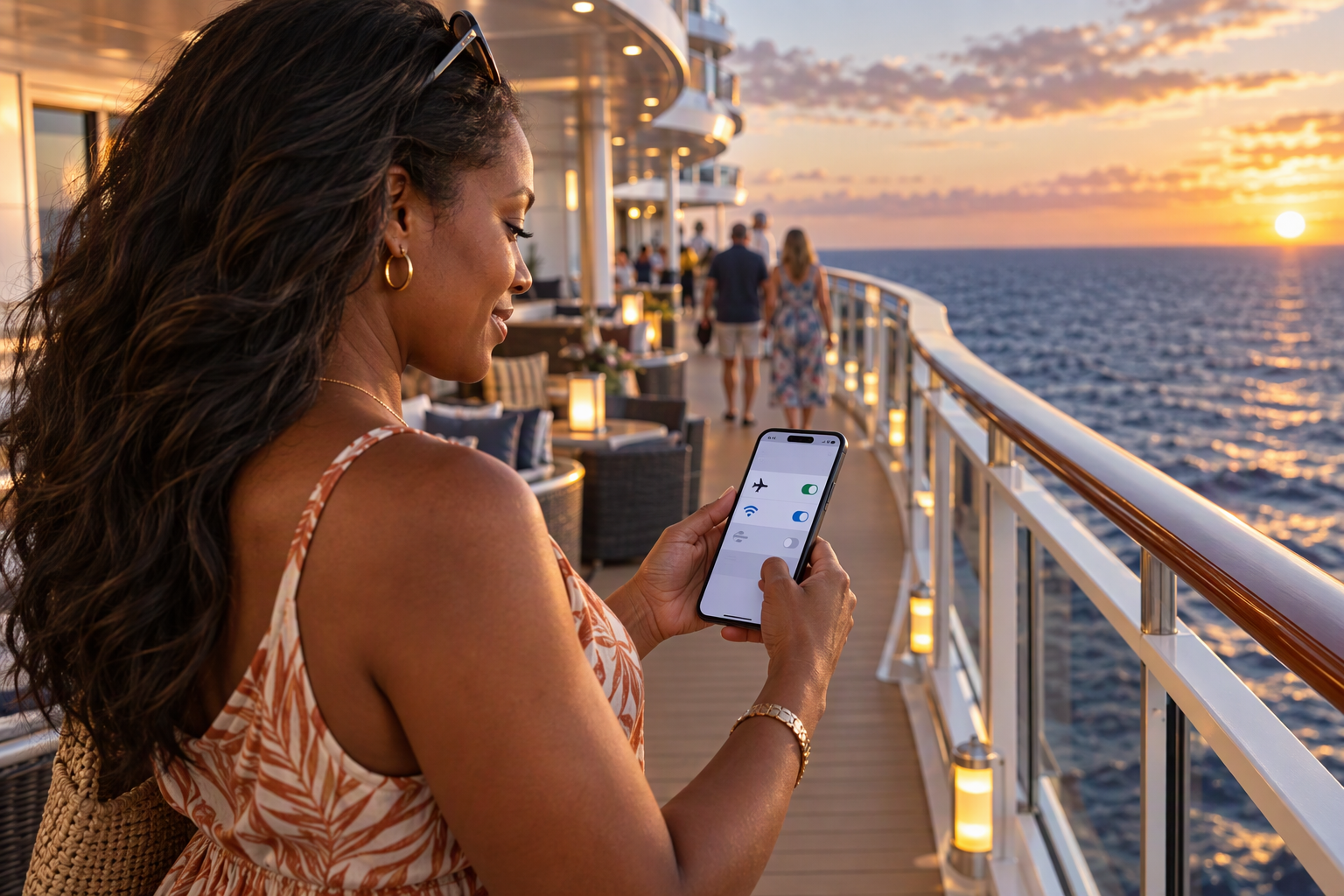
Image Prompt: A realistic cruise ship deck at dusk with a first-time cruiser smiling while toggling airplane mode and Wi-Fi on a smartphone, ocean and ship lights behind, relaxed confident mood, no text.
Alt Text: First-time cruiser managing cruise ship Wi-Fi settings to avoid internet package sticker shock and prevent surprise roaming charges.
FAQ – How Can First-Time Cruisers Save Money on Wi-Fi, Choose the Right Internet Package, and Avoid Surprise Roaming Charges?
Do You Need to Buy a Wi-Fi Package for Your First Cruise?
No, purchasing an internet package isn’t always necessary for your first cruise.
Many cruise lines allow guests to use selected onboard app features without paying for general internet access, so you may still be able to check activities, dining information, and reservations.
However, ordinary messaging apps, websites, and social media may require a paid connection.
Review the free features provided by your specific cruise line before deciding whether an internet package will be worth the money.Why Does Wi-Fi Cost So Much on Your First Cruise?
Cruise internet can be expensive because ships rely heavily on satellite connections and must distribute available bandwidth among passengers and onboard operations.
The price may also reflect the cruise line’s package structure, which can involve daily charges, user limits, and higher-priced service tiers.
For first-time cruisers, those costs are particularly surprising because they aren’t always included in the advertised cruise fare.
Calculating the complete package price before sailing helps you decide whether the connectivity is worth adding to your vacation budget.Can You Use Your Cruise Line’s App Without Paying for Wi-Fi?
Many cruise lines allow passengers to connect to the ship’s wireless network and use designated app features without purchasing a full internet package.
Depending on the operator, these may include daily schedules, dining information, ship maps, reservations, and onboard account details.
However, free app access doesn’t mean you’ll have unrestricted internet or free access to every messaging feature.
Before your first cruise, download the official app and check which functions are available without paying for an internet plan.Can You Message Family Members for Free During Your First Cruise?
That depends on the cruise line and the communication service you’re using.
Some ships support guest-to-guest messaging through their own apps, although availability and possible charges vary.
Ordinary messaging applications such as WhatsApp or iMessage may require a paid internet package unless another connection is available.
If staying in contact with your traveling companions is important, review your cruise line’s messaging options and agree on backup meeting arrangements before boarding.How Do You Choose the Right Wi-Fi Package for Your First Cruise?
Start by identifying what you actually plan to do online rather than automatically purchasing the most expensive package.
Basic browsing and messaging may have different requirements from video calls, streaming, or uploading large files.
Next, compare the package’s supported services, device limits, duration, and total cost for your sailing.
Choosing around your real connectivity needs is the simplest way to avoid paying for features you won’t use.What Is the Difference Between Basic and Premium Cruise Wi-Fi?
Basic and premium internet packages typically differ in the online activities they support, although the exact distinctions vary by cruise line.
A basic plan may be suitable for certain messaging, browsing, or email activities, while a higher tier may permit streaming and other data-intensive services.
Premium access doesn’t necessarily guarantee uninterrupted video calls or consistently fast speeds, particularly when network conditions change.
Check the actual service restrictions rather than assuming a premium label automatically means every internet application will work perfectly.How Can You Calculate the Total Wi-Fi Cost Before Your First Cruise?
Begin with the advertised rate and determine whether it’s charged per day, per person, per device, or according to another package arrangement.
Then calculate how many days you need service and how many connections your traveling party requires.
For example, a hypothetical $20 daily connection purchased for seven days would cost $140 before any additional applicable charges.
Checking the actual package total in your cruise planner helps prevent surprises caused by multiplying the same rate across multiple travelers or devices.Does Every Person in Your Cabin Need a Separate Cruise Wi-Fi Package?
Not necessarily, because cruise lines use different rules for users, registered devices, and simultaneous connections.
Some plans may let one passenger switch between devices, while others offer packages designed to connect several devices at once.
Your family may be able to reduce spending by choosing a suitable multi-device arrangement or paying for fewer connections than the number of devices you own.
Check the exact terms before purchasing rather than assuming that everyone needs an individual package or that one account can be shared freely.Can You Switch Between Your Phone and Tablet With One Cruise Internet Package?
Some cruise lines allow device switching, but the rules depend on the package and operator.
A plan that supports one simultaneous device may permit you to disconnect your phone and connect a tablet afterward.
Other packages can have different user or registration restrictions, making it important to verify what switching actually means.
Before your first sailing, review the device policy so you don’t discover that an additional purchase is necessary after boarding.Is Cruise Wi-Fi Cheaper When You Buy It Before Boarding?
Advance purchases can be less expensive on some cruise lines, especially when internet packages are offered through pre-cruise planners with promotional pricing.
However, discounts aren’t guaranteed, and the amount saved may vary by sailing, package, and booking date.
Compare the advance price against the listed onboard price when that information is available.
Purchasing early makes the most sense when you’ve already determined that you need the service and understand its limitations.Can You Buy Cruise Wi-Fi Only for Sea Days on Your First Sailing?
That depends on your cruise line’s purchasing options and the package rules for your sailing.
Some operators may offer limited-duration internet access, while others sell packages covering the remaining voyage or a defined period.
If your main reason for buying internet is staying connected when the ship is away from land, purchasing fewer days could be worthwhile when permitted.
However, don’t assume daily purchases will be available or cheaper than an advance package without checking the actual terms.Will Your Cell Phone Work at Sea Without a Cruise Wi-Fi Package?
Your phone may connect to a maritime cellular network when the ship is at sea, but that service can involve substantial roaming charges.
Ordinary international mobile coverage doesn’t necessarily include shipboard cellular networks, so your regular travel plan may not protect you from those costs.
If you don’t intend to use maritime cellular service, enable airplane mode and manually turn Wi-Fi back on when you want to connect to the ship’s network.
Review your carrier’s cruise roaming policies before sailing so you understand any available services and charges.How Does Airplane Mode Help First-Time Cruisers Avoid Roaming Charges?
Airplane mode disables ordinary cellular connectivity on most phones, helping prevent an unintended connection to an expensive maritime network.
You can then manually enable Wi-Fi to use supported onboard app functions or a purchased internet package.
Check that cellular service remains disabled, especially if your device supports multiple SIMs or eSIMs.
This simple habit is particularly valuable on your first cruise because shipboard cellular roaming can operate differently from the international phone coverage you may already know.Can You Use an eSIM Instead of Cruise Wi-Fi on Your First Sailing?
A travel eSIM can provide mobile data in ports where its plan includes coverage and your device supports the service.
That may be useful for navigation, transportation arrangements, and messaging while you’re exploring destinations ashore.
However, ordinary travel eSIMs generally rely on land-based cellular networks and shouldn’t be treated as substitutes for satellite internet while the ship is at sea.
Compare the countries included in the plan with your itinerary before deciding whether an eSIM can reduce your need for paid shipboard internet.Is Cruise Wi-Fi Fast Enough for Video Calls and Streaming?
Some cruise lines sell higher-tier internet plans intended to support activities such as streaming and video calling.
However, actual performance can vary because of satellite coverage, available bandwidth, network demand, and technical restrictions.
Even when a service is officially supported, you shouldn’t assume that every video meeting or stream will run without interruption.
If reliable video communication is essential during your first cruise, check the operator’s current capabilities and prepare a backup arrangement.Can You Work Remotely During Your First Cruise Using Ship Wi-Fi?
Remote work may be possible, particularly when the cruise line offers internet suitable for email, messaging, and supported online applications.
However, connection interruptions, variable speeds, and restrictions on certain services can make business-critical activities challenging.
Before deciding to work during your first sailing, confirm whether your required applications are supported and consider how you’d handle an unavailable connection.
A premium internet package may help, but it shouldn’t be treated as a guarantee that every work task will function reliably at sea.What Should You Download Before Your First Cruise to Save on Wi-Fi?
Download useful travel documents, destination maps, entertainment, and any information you’ll want to access when offline.
You can also save excursion confirmations, transportation details, and important contact information so you aren’t dependent on a working connection in every port.
If you enjoy listening to podcasts or watching downloaded shows, preparing those files before departure may reduce your need for premium internet access.
Check that downloaded materials remain available offline and that any required apps are working before you leave home.How Can Families Avoid Paying Too Much for Wi-Fi on Their First Cruise?
Start by discussing which family members genuinely need unrestricted internet access and which can rely on the cruise line’s available app features.
Review whether one multi-device package or a smaller number of simultaneous connections would cost less than separate plans.
You can also prepare offline entertainment for children and establish simple onboard meeting arrangements.
The best choice depends on your cruise line’s rules, but planning around actual usage helps prevent the expense of automatically connecting every device.What Are the Biggest Wi-Fi Mistakes First-Time Cruisers Make?
Common mistakes include purchasing a premium package without checking its features, overlooking device limits, and focusing on the daily rate instead of the complete cost.
Another expensive error is leaving cellular service enabled at sea and unintentionally connecting to a maritime roaming network.
Some travelers also assume their cruise line’s app requires full paid internet or expect a land-based travel eSIM to work while sailing.
Checking these differences before embarkation can prevent many of the most frustrating connectivity expenses.What Is the Cheapest Practical Way to Stay Connected on Your First Cruise?
The least expensive approach depends on how often you need internet access and which services your cruise line provides without an additional charge.
You may be able to use the ship’s included app functions, prepare entertainment and travel information offline, and rely on suitable mobile data while visiting ports.
If you need internet at sea, compare packages based on your actual online activities and the number of simultaneous connections required.
By avoiding unnecessary premium features and preventing maritime roaming charges, you can stay connected without making internet one of your largest onboard expenses.
Plan Your Next Cruise!

Sail Smart: Discover The Real Cost of Luxury Cruises and Maximize Your Travel Value
One Delay Can Cost Your Entire Cruise A quick coverage check now protects you from the problems no one sees coming….

Escape To Paradise: Inside The Exclusive World of Cruise Line Private Islands
One Delay Can Cost Your Entire Cruise A quick coverage check now protects you from the problems no one sees coming….

Sail Boldly: Experience Virgin Voyages’ Adults‑Only Cruises With Style, Freedom, And Fun
One Delay Can Cost Your Entire Cruise A quick coverage check now protects you from the problems no one sees coming….

Discover Regent Seven Seas Cruises: Opulent Suites, Gourmet Dining, and Exclusive Destinations
One Delay Can Cost Your Entire Cruise A quick coverage check now protects you from the problems no one sees coming….
Explore More

The Keel Explained: The Backbone That Keeps Cruise Ships Upright at Sea

Tailor Your Cruise Minibar: Personalize Drinks, Snacks, and Celebration Touches Before You Sail

Mega vs. Small Cruise Ships: Choosing the Right Experience for Your Voyage