
One Delay Can Cost Your Entire Cruise
A quick coverage check now protects you from the problems no one sees coming
Short Excerpt
- Managing cruise apps for multiple travelers becomes easier when reservations, individual accounts, and group responsibilities are organized before sailing.
- Families and friends in separate cabins can coordinate dining, activities, and communication while protecting personal account information.
- A few practical backup arrangements can prevent missed reservations, disconnected travelers, and unnecessary frustration onboard.
Quick Take
- Choose a primary and backup planner to coordinate shared reservations and activities.
- Link travel companions correctly without sharing passwords between adults.
- Verify bookings before embarkation so everyone has access to the correct information.
- Prepare for connectivity problems with secure offline confirmations and a daily meeting location.
- Review notifications and spending to avoid missed updates and unexpected purchases.
Build a Cruise App Backup Plan Before Your Group Needs One
A cruise app can organize your vacation, but the smartest preparation begins with deciding what your group will do when technology is unavailable.
Before departure, identify which information everyone needs independently.
Boarding documents, cabin numbers, important reservation confirmations, and emergency contact details should be accessible to the appropriate travelers without relying on one person’s phone.
Make sure each adult knows where to find essential details, even when internet service is unavailable.
A secure offline copy can be especially useful when a phone loses connectivity, an app temporarily stops responding, or someone becomes separated from the group.
Consider how your group will handle last-minute changes, too.
If a dining reservation moves or an excursion meeting time changes, everyone should know who communicates the update and where to verify the latest information.
Families traveling with children or older relatives may benefit from an additional safeguard.
Agree on a recognizable meeting location and explain how to contact an appropriate crew member if someone needs assistance.
This preparation serves a purpose beyond avoiding technical problems.
It gives everyone the confidence to explore the ship independently without depending on constant messages or one designated organizer.
With that safety net established, the next step is understanding how cruise apps connect multiple travelers and why managing those connections sometimes requires extra planning.
Why Managing Cruise Apps for Multiple Travelers Gets Complicated
Cruise apps should make your trip easier, but managing multiple travelers can feel like a tech puzzle.
A single cabin is simple, because one phone can handle most tasks and you rarely need to coordinate anything.
Add kids, grandparents, friends in another stateroom, or a couple with separate logins, and the app can suddenly feel like a job.
That stress is normal, because cruise apps use “linked accounts” and “profiles” in ways that are not always intuitive at first.
Top Cruise Deals From Trusted Cruise Lines
Compare exclusive online offers and find the fare that fits your trip and your budget

You don’t need stress—you need a simple system that links accounts, shares plans, and keeps everyone connected.
This guide shows you how to set roles, link profiles, and avoid the mistakes that cause app chaos on group cruises.
You will also learn the quick fixes that experienced cruisers use when someone’s app stops showing the right schedule.
This is general educational information, not technical support for a specific cruise line, and your ship’s app menus may look slightly different.
Learn How Linked Accounts Work Before You Start Linking Profiles
Linked accounts usually mean the cruise line’s system recognizes that your travelers are connected for planning purposes.
That connection can help you coordinate dining, excursions, and check-in tasks across cabins.
It does not always mean one person controls everything, and that is where many first-time cruisers get frustrated.

Some features still require each traveler to sign in on their own device, especially for identity and payment settings.
Other features can be managed by a primary planner who shares the plan, not the password.
Your goal is building a shared planning view while keeping personal profiles private.
Once you understand that concept, the app stops feeling confusing and starts feeling logical.
A logical app feels lighter, because you are not guessing what each screen is trying to do.
Define The Roles
Pick one person as the Primary Planner, even if everyone participates in decisions.
Choose a Backup Planner who can step in if the first phone dies.
Assign each traveler a Personal Profile Owner, which is usually the traveler themselves or a parent for minors.
Create a simple group chat outside the cruise app as a backup, because redundancy reduces stress.
Decide who will handle daily schedule choices, so nobody feels surprised at dinner time.
Agree on one “meet up” time each day, because coordination is easier with one anchor.
That small structure prevents the app from becoming your entire vacation.
Online‑Only Cruise Offers You Won’t Find Elsewhere
Unlock special pricing and start planning the sailing that matches your perfect itinerary

Keep Privacy Simple
Avoid sharing logins across adults, because it causes confusion and can break notifications.
Use separate logins when possible, then link accounts or travel companions inside the cruise ecosystem.
Share plans through invitations, shared dining parties, or linked reservations instead of password swaps.
Keep payment methods under one clear owner, then grant charging privileges carefully if the system allows it.
Handle kids’ access with guardrails, so chat and purchases stay controlled.
If you need to log into accounts while using public Wi-Fi in port or airports, NordVPN can help protect logins on shared networks.
Security is not about paranoia, because it is about preventing small problems from stealing time.
Section Takeaways
Choose Clear Roles
A Primary Planner and a Backup Planner prevents chaos when phones die or signals drop.
Share Plans, Not Passwords
Linked planning works better when each traveler keeps their own login.
Protect Logins
A secure connection on public Wi-Fi reduces the risk of account headaches later.
Set Up Your Cruise App at Home for a Stress-Free Embarkation Day
Most app stress happens because people wait until embarkation day to download and set everything up.
Embarkation day is loud, busy, and full of deadlines, which is the worst time to learn menus.
The strongest move is building your accounts at home, then arriving at the port with the basics already done.
That prep also gives you time to solve login problems while you still have patience.
It helps kids and older travelers too, because they can practice a few taps before the ship environment distracts them.
Think of this as packing your digital carry-on, because it makes day one feel smoother.
Smooth day one changes how the whole cruise feels, because confidence builds early.
Confidence is what turns a first cruise from uncertain to genuinely enjoyable.
Download Early
Download the cruise line’s official app at least a week before sailing.
Sign in on your own phone first, because it becomes the reference point for everyone else.
Confirm that your booking shows correctly inside the app or the cruise line website.
Write down each traveler’s booking details somewhere safe, because you may need them to link accounts.
Take screenshots of key confirmations, because screenshots save time during troubleshooting.
Update your phone’s operating system, because outdated systems cause strange app behavior.
Turn on automatic updates for the app, because cruise apps change frequently.
Create A Travel Folder
Create one folder on your phone labeled “Cruise,” then save everything inside it.
Store reservation numbers, boarding documents, and travel insurance details in that folder.
Add a screenshot of each traveler’s passport or ID, if you are comfortable doing so securely.
Save emergency contacts and your hotel details if you are arriving the day before.
Include screenshots of dining confirmations, excursion bookings, and show reservations.
This folder becomes your backup brain when travel fatigue hits.
A backup brain reduces arguments, because you are not relying on memory.

Luxury Cruise Experiences at Smarter Prices
See premium sailings and upgraded cabins priced for travelers who know how to book well
Section Takeaways
Prep Before Embarkation
Home setup prevents embarkation day stress and makes check-in feel simple.
Save Booking Details
Reservation numbers and screenshots make linking and troubleshooting much easier.
Keep One Folder
A single “Cruise” folder stops documents from getting lost across apps and inboxes.
Link Cruise App Accounts Correctly to Avoid Group Planning Chaos
Linking accounts is where most first-time cruisers feel stuck, because they expect one universal button and every line handles it differently.
Instead of hunting for one magic setting, use a practical approach that works across most cruise ecosystems.
First, confirm each traveler can log in successfully on their own device.
Next, look for a “travel companions,” “travel with,” “add booking,” “linked reservations,” or “party” area.
Then connect travelers using the details the system asks for, which is often a booking number plus identifying information.
If the app struggles, the website version sometimes works better for linking, then the app updates later.
When neither works, the cruise line’s support channel or your travel advisor can link reservations in the back end.
You are not failing if you need that last step, because it is common with separate bookings.
Linked Accounts, Explained
Linked accounts help your travelers appear in the same planning universe.
That can enable shared dining tables, coordinated check-in steps, or group scheduling.
It does not always merge everything into one screen, and that is okay.
A merge would create privacy and payment problems for many groups.
The real goal is coordination, not control.
Coordination means you can create a plan and everyone can see it.
That is the win you are aiming for on a first cruise.

Sail Away to Paradise Without Overpaying
Find cruise deals that make it easy to escape, relax, and enjoy the ocean without stretching your budget
Handle Separate Cabins
Separate cabins often mean separate booking numbers, even when you booked together.
Linking helps the system recognize that you are traveling as a group.
It can also help you request dining seating as a group, depending on the cruise line and availability.
Some apps allow you to add companions inside dining reservations, which is an easy way to connect plans.
Other apps require linking through “manage booking” areas before the sailing.
If your group includes seniors or kids, do the linking on a larger screen first, then confirm on phones.
Large screens reduce errors, because small text causes small mistakes.
Section Takeaways
Look For Key Labels
“Travel companions” and “add booking” are common names for linking workflows.
Link After Logins Work
Each traveler should log in successfully before you attempt linking.
Use Web If Needed
A website login can succeed when the app feels glitchy.
Follow This Cruise App Setup Checklist to Keep Everyone Synced
This is the part that makes everything feel easier, because you stop guessing what order to do things in.
A simple setup sequence prevents half-linked profiles and missing schedules.
Follow this table like a checklist and you will avoid most first-time app problems.
You can also assign parts of the checklist to different people, which reduces the “one person does everything” burden.
That burden is a quiet stressor on group trips, especially family cruises.
A shared checklist makes the trip feel cooperative, not managed.
Cooperative trips feel more enjoyable, because everyone has ownership.
Ownership is a powerful cure for tech stress.
App Setup Guide
| Step | Who Does It | What To Do | What Success Looks Like |
|---|---|---|---|
| 1 | Each traveler | Download app and sign in | Booking appears correctly |
| 2 | Primary Planner | Confirm group booking details | All cabins and names correct |
| 3 | Primary Planner | Link travel companions or bookings | Group members visible for planning |
| 4 | Each adult | Set notification preferences | Alerts feel helpful, not noisy |
| 5 | Primary Planner | Create dining party or shared table requests | Same dining plans visible for group |
| 6 | Primary Planner | Add shared calendar anchors | Everyone knows daily meet-up time |
| 7 | Each traveler | Save boarding docs and screenshots | Offline access available |
| 8 | Parent or guardian | Set kid guardrails for chat and purchases | Clear boundaries, fewer surprises |
Run A Quick Test
Open the app and confirm the ship name and sail date match your trip.
Check that each traveler sees their own name and correct cabin assignment.
Verify that dining plans show correctly, even if details are limited pre-cruise.
Look for an onboard schedule preview, then favorite one event as a test.
Ask one other traveler to favorite a different event, then confirm both appear when you share plans.
Send one message through the app’s chat feature if your cruise line uses it, then confirm the other person sees it.
This test is not perfection, because it is confirmation that the foundation works.
A working foundation prevents night one from becoming a troubleshooting session.
Section Takeaways
Follow The Sequence
A checklist order prevents missing profiles and broken schedule sharing.
Share The Work
Assign steps to travelers so one person is not managing the whole trip.
Test Before Sailing
One simple test prevents dozens of “why is my app blank” moments onboard.
Skip These Common Cruise App Mistakes And Stay Organized
Cruise apps can feel unreliable when the real problem is a predictable user mistake.
The most common mistake is using one login across multiple phones, which confuses the system.
Another common mistake is turning on every notification, then feeling overwhelmed by constant pings.
A third mistake is assuming the app will work the same way on cellular as it does on ship Wi-Fi.
Your ship environment is different, because ship Wi-Fi often powers the app even without a paid internet package.
That means connectivity logic can change when you step onboard.
If you understand those realities in advance, the app stops surprising you.
Less surprise means less tech stress, and less tech stress means more vacation.
Mistake One, Shared Login
Using one login across multiple adults can break messaging and confuse reservations.
It can also cause schedules to display incorrectly, because the system cannot tell who is who.
Separate logins protect clarity, because each traveler becomes a clean profile.
Linking then creates coordination without mess.
If one person insists on using one login, use it only as a backup on one extra device.
Backups are fine, but shared daily use creates problems.
Clarity is what you are protecting here.
Mistake Two, Notification Overload
Notifications feel helpful until they become noise.
Noise creates frustration, and frustration makes people abandon the app entirely.
Choose only the notifications that matter, like dining reminders and itinerary updates.
Turn off promotional pings when possible, because they clutter the signal.
Create one group rule: announcements go to the Primary Planner, then get summarized for everyone else.
That rule prevents five people from reacting to the same alert in five different ways.
Coordination is easier when communication has a simple channel.
Mistake Three, No Offline Plan
Phones die.
Apps log you out.
Signals drop in elevators and stairwells.
A small offline plan prevents stress, because you are not dependent on perfect connectivity.
Save boarding docs as screenshots and keep them in your Cruise folder.
Screenshot dining confirmations and show reservations, because screenshots are fast.
If you use public Wi-Fi in port for email or account access, NordVPN can add a layer of protection while you log in.
A small security habit protects your time, which is the real luxury on a cruise.
Section Takeaways
Separate Logins
Individual logins create clarity, and linking creates coordination.
Control Notifications
A few meaningful alerts beat constant noise every time.
Screenshot Essentials
Offline backups prevent panic when connectivity is imperfect.
Replace Cruise App Anxiety with Simple Steps That Work
First-time cruisers often fear that they will “mess something up” in the app.
That fear is understandable, because cruise apps sometimes look official and serious.
The truth is that most app actions are reversible, and staff can help with the rest.
Another fear is missing messages from family members on a big ship.
That fear is real, because ships are large and people wander.
A simple meet-up rhythm solves most of that problem, even if chat is imperfect.
A third fear is the onboard spending side of the app, which can feel confusing.
You do not need to obsess over it, because you only need a few basic habits.
Fear One, “I Will Break It”
You are unlikely to break anything permanently by tapping around.
You can, however, confuse yourself by changing settings repeatedly without tracking changes.
Make one change at a time, then test it.
If the app feels unclear, return to the web version and confirm details there.
Ask Guest Services for guidance onboard if something looks wrong.
Staff handle these questions daily, so you are not a burden.
A steady approach works better than frantic tapping.
Fear Two, “We Will Lose Each Other”
Ships are big, and groups naturally separate.
Separation is not a problem when you have one daily anchor and one simple rule.
Pick a daily meet-up time, then choose a meet-up location that is easy to find.
Use the app schedule for events, yet keep the meet-up as your backup.
That backup reduces the emotional stress of “where is everyone.”
It also helps kids feel secure, because they know there is a predictable regroup time.
Predictability makes a cruise feel comfortable, especially on a first sailing.
Fear Three, “Spending Will Surprise Me”
Onboard accounts can feel abstract because you are not paying at each moment.
Check spending once a day at a predictable time, like after breakfast.
Make one person responsible for reviewing the summary if your group shares payment responsibility.
Communicate spending boundaries early, especially with teens.
If your cruise line app allows purchase PINs or charging privileges, use those settings thoughtfully.
A few guardrails prevent awkward conversations later.
Guardrails are not controlling, because they are respectful clarity.
Section Takeaways
Change One Thing
One change plus one test prevents confusion and builds confidence fast.
Use Meet-Up Anchors
A daily regroup plan solves the “we lost each other” fear better than constant messaging.
Review Spending Daily
A quick daily check prevents surprises without turning the trip into budgeting homework.
Make Cruise App Tech Feel Easy with a Simple Group System
A cruise app does not need to become the boss of your vacation.
It should be a tool that supports your plans and reduces friction.
When you set roles, link travelers correctly, and build an offline backup plan, the app becomes reliable enough to trust.
When you control notifications, you stop feeling pinged and start feeling supported.
When you use a daily meet-up anchor, you stop worrying about losing people on a big ship.
That is what it feels like when your first cruise becomes smooth.
Smooth trips build confidence, and confidence makes cruising fun instead of stressful.
You are not trying to master technology, because you are building a simple system that works for real people.
Featured Image Prompt
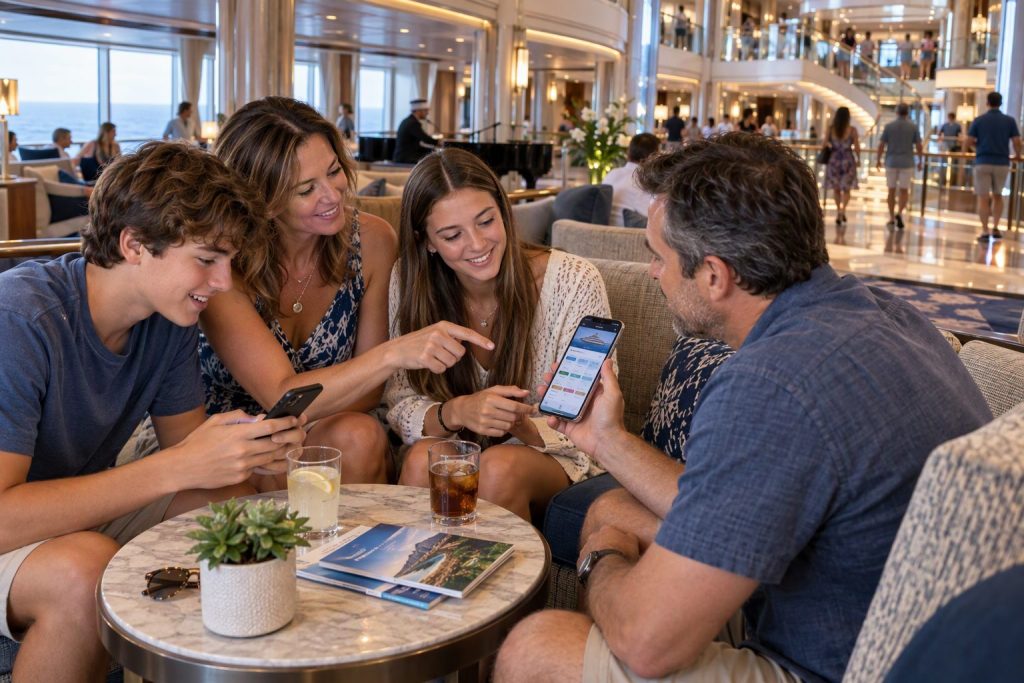
Image Prompt: A first-time cruiser holding a phone showing a simple cruise app checklist, family in the background near a ship atrium, bright lighting, supportive mood, no text.
Alt Text: First-time cruisers using a cruise app setup checklist to link accounts and manage plans for multiple travelers.
FAQ – How Can Families and Groups Manage Cruise Apps, Linked Accounts, and Shared Plans Without Getting Overwhelmed?
Can You Link Cruise App Accounts for Family Members Staying in Different Cabins?
Yes, many cruise lines allow passengers staying in separate staterooms to connect their reservations for certain planning activities.
Depending on the cruise line, you may need each cabin’s booking number and passenger information before the system recognizes your group.
Connecting reservations may help with dining arrangements, excursions, and other shared activities, but it does not necessarily combine everyone’s personal schedules or account settings.
Confirm which features are available before sailing so your group understands what linking actually accomplishes.Does Everyone in Your Cruise Group Need Their Own App Login?
Adults should generally use individual cruise app logins when the cruise line supports them.
Separate accounts help keep personal reservations, notifications, messages, and payment information associated with the correct traveler.
Children may require parent-managed profiles or have different access permissions depending on their age and the cruise line’s policies.
Linking individual reservations is usually a better approach than sharing one adult’s password across multiple devices.How Do You Add Travel Companions to a Cruise App Before Embarkation?
Begin by confirming that each traveler can access their reservation through the cruise line’s official app or website.
Look for features labeled travel companions, linked reservations, manage booking, or add booking, since different cruise lines use different terminology.
You may need reservation numbers, passenger names, or additional identifying information to connect everyone.
After completing the process, check that the relevant travelers appear correctly and that shared planning features work as expected.Can One Family Member Coordinate Dining Reservations for Everyone in the Group?
Many cruise lines allow one person to organize dining arrangements for multiple passengers, although the process varies between cruise companies.
Linked reservations may help you request a shared dining table, coordinate dining times, or include additional guests in specialty restaurant bookings.
Groups occupying separate cabins may encounter different reservation requirements or availability limitations.
Always verify the final dining arrangements, because linking bookings does not automatically guarantee that everyone will be seated together.Why Does a Cruise App Sometimes Show the Wrong Cabin, Schedule, or Traveler Information?
Incorrect information may appear when a passenger signs into the wrong account, uses outdated booking details, or has an incomplete reservation connection.
Start by checking the traveler’s name, cabin assignment, ship, and sailing date against the original booking confirmation.
Reopening the app or reviewing the reservation through the cruise line’s website may help identify whether the information is simply not displaying correctly.
If the problem continues, contact the cruise line before departure or request assistance from Guest Services onboard.Can Families Use Cruise App Messaging Without Purchasing an Internet Package?
Some cruise lines provide onboard messaging through their apps without requiring passengers to purchase a full internet package.
However, messaging availability, eligibility, and additional fees vary by cruise line and sometimes by ship.
Passengers generally need to connect their phones to the ship’s designated Wi-Fi network to use supported onboard app features.
Check the current messaging policies before departure and establish a backup meeting arrangement in case messages are delayed or unavailable.How Can Parents Manage Children’s Cruise App Access and Onboard Purchases?
Parents should begin by checking the cruise line’s age restrictions, minor account policies, and available parental controls.
Depending on the system, adults may be able to manage charging privileges, limit certain purchases, or oversee account activity for children.
Establish spending expectations before sailing, especially when teenagers will have access to cruise cards or wearable payment devices.
Reviewing onboard charges daily can help families identify unexpected purchases before they become larger problems.What Should You Do When Your Cruise App Stops Working in the Middle of Your Vacation?
First, confirm that your phone is connected to the ship’s correct Wi-Fi network and that the app is still signed into the appropriate account.
Closing and reopening the app may resolve temporary problems, although some issues require assistance from the cruise line.
Keep screenshots of important reservations and a predetermined meeting place available so your group can continue its activities without relying on the app.
For persistent problems involving bookings, payments, or personal information, visit Guest Services or the designated onboard assistance desk.Should Everyone Receive the Same Cruise App Notifications and Schedule Alerts?
Not every traveler needs identical notifications, especially when different family members have separate reservations and activities.
Each adult should receive important information affecting their own booking, while the primary planner can coordinate group-specific reminders and changes.
Where notification controls are available, prioritize dining reminders, schedule updates, and other information that helps travelers make timely decisions.
Essential safety announcements should remain accessible to everyone, regardless of who manages the group’s daily schedule.How Can You Keep a Large Cruise Group Organized Without Constantly Checking Everyone’s Location?
Choose a convenient daily meeting time and an easy-to-find location that everyone understands before splitting up for activities.
Use the cruise app to coordinate shared reservations, but allow individual travelers to enjoy independent plans without constant check-ins.
A primary planner can communicate important schedule changes, while each traveler keeps access to their own essential booking information.
This combination gives families and friends a dependable way to regroup without making the vacation feel overly scheduled.Can Cruise Apps Help Families Monitor Spending Across Several Travelers?
Many cruise apps let passengers review onboard spending, although access to individual or shared charges depends on the cruise line’s account structure.
The person responsible for a shared payment account may have broader visibility than someone using an individual onboard account.
Checking spending summaries once a day helps families identify unexpected charges and discuss them before the end of the cruise.
Parents should also review available charging restrictions and permissions for children or teenagers.What Cruise App Information Should Every Traveler Save Before Embarkation?
Each adult should have access to their reservation number, boarding documents, and important booking confirmations before arriving at the cruise terminal.
Save dining arrangements, excursion reservations, emergency contacts, and other essential travel information in a secure location that remains accessible when internet service is unavailable.
Sensitive identification documents should be protected with appropriate device security rather than stored casually in an unprotected photo gallery.
Having these details available reduces dependence on one traveler’s phone and makes unexpected technical problems easier to manage.
Plan Your Next Cruise!

Unlock Seabourn’s World: Yacht‑Like Luxury, Exclusive Destinations, And Unmatched Comfort
One Delay Can Cost Your Entire Cruise A quick coverage check now protects you from the problems no one sees coming….

Sail Smart: Discover The Real Cost of Luxury Cruises and Maximize Your Travel Value
One Delay Can Cost Your Entire Cruise A quick coverage check now protects you from the problems no one sees coming….

From Icon to Oasis: Explore Royal Caribbean’s Groundbreaking Ships and Unforgettable Voyages
One Delay Can Cost Your Entire Cruise A quick coverage check now protects you from the problems no one sees coming….

Experience the Perfect Blend of Disney Magic, Luxury Cruising, and Family Adventure at Sea
One Delay Can Cost Your Entire Cruise A quick coverage check now protects you from the problems no one sees coming….
Explore More

Avoid Drone Confiscation: Master Cruise Line Rules and Fly Legally at Every Port

Transatlantic Cruise: Experience the Freedom and Wonder of the Atlantic Crossing

Sail Boldly: Experience Virgin Voyages’ Adults‑Only Cruises With Style, Freedom, And Fun