One Delay Can Cost Your Entire Cruise
A quick coverage check now protects you from the problems no one sees coming.
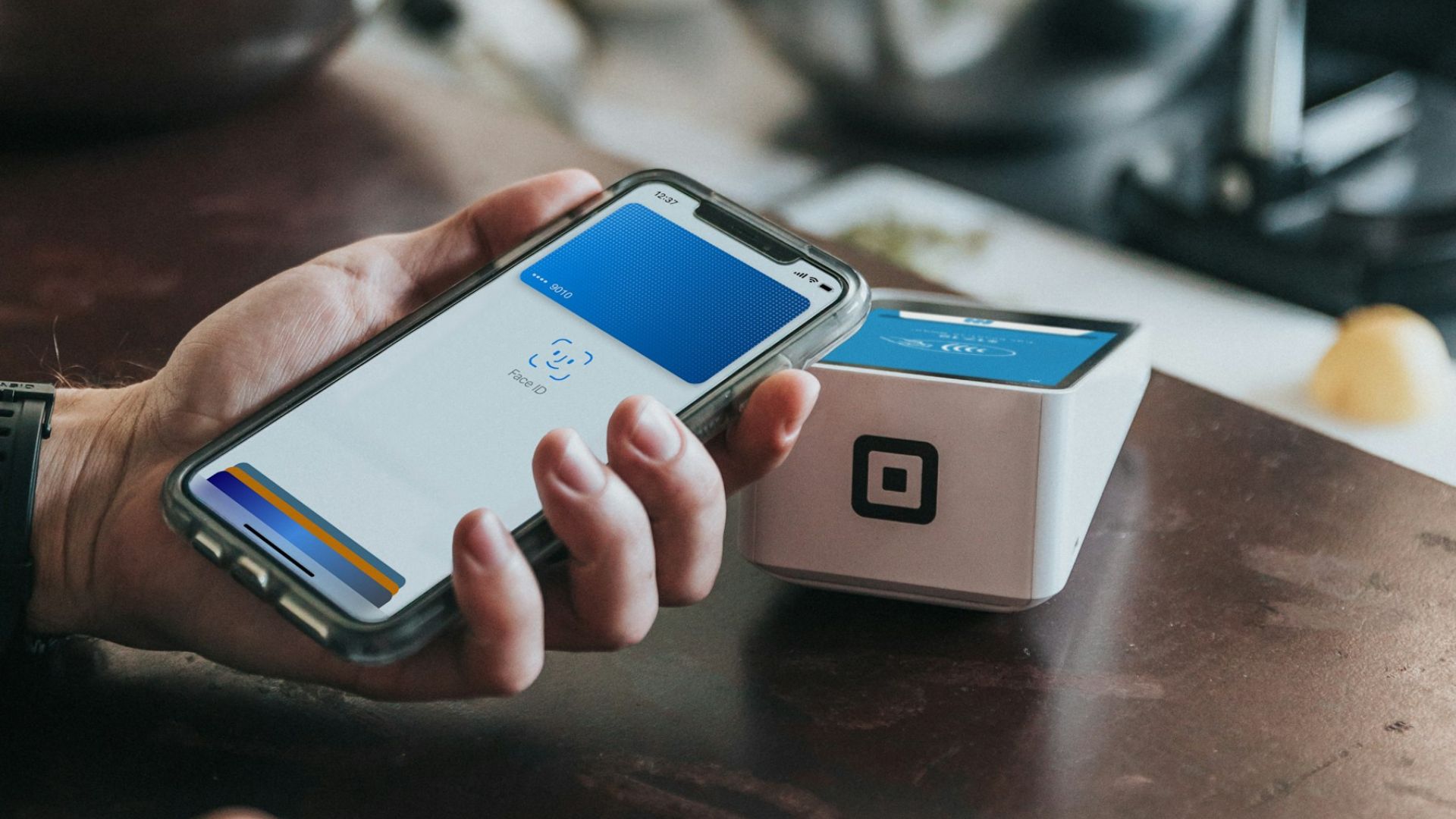
Apple Pay is slowly making waves in the cruise industry, offering a new level of convenience for tech‑savvy travelers.
While some cruise lines now support mobile payments in select shops, bars, and restaurants, others still rely on traditional cruise cards and onboard accounts.
Knowing exactly where Apple Pay works—and where it doesn’t—can help you plan smarter and avoid payment hassles at sea.
This guide breaks down Apple Pay availability across major cruise lines and shares tips for mobile payment success during your voyage.
See Which Cruise Lines Accept Apple Pay for Onboard Purchases
Cruise lines are catching up with the trend of mobile payments, but the progress varies.
Most cruise ships still rely heavily on traditional payment systems such as cruise cards or onboard accounts.
However, there is a growing movement to integrate mobile payments like Apple Pay and Google Pay.

Use Apple Pay on Select Royal Caribbean Ships for Cash‑Free Convenience
Royal Caribbean is known for adopting advanced technology to enhance the cruise experience.
It has introduced mobile payment options on some of its newer ships, though the availability of Apple Pay can differ depending on the ship and where you are onboard.
Find Where Apple Pay Works Onboard for Shopping, Dining, and Drinks
- Shops: Select retail stores onboard allow passengers to pay for purchases using Apple Pay.
- Restaurants: Some dining venues accept mobile payments as part of their payment systems.
- Bars: Passengers can use Apple Pay in certain bars onboard, making it easier to grab a drink without carrying cash or cards.
However, this option is not available across the entire Royal Caribbean fleet.
If you plan to use Apple Pay, it’s essential to check with the cruise line or ship ahead of time to confirm if the payment method is supported on your specific sailing.
Check Apple Pay Availability on Carnival Cruise Line’s Newer Ships
Carnival is one of the largest and most popular cruise lines, but it’s slowly catching up with mobile payment technology.
While they have not fully implemented Apple Pay across their fleet, a few select ships may accept mobile payments in limited areas.
Understand Carnival’s Mobile Payment Options and Apple Pay Limitations:
- Onboard Payments: For most purchases, you will still use your Sail & Sign card, which is linked to your onboard account.
This is the primary method for paying for everything from drinks to excursions.
- Shops And Restaurants: Only some of the newer ships might accept Apple Pay for purchases, and this varies depending on the onboard system and payment processing technology available.
Click for Exclusive Offers on Top Cruise Lines!
Explore Apple Pay Access on Select Norwegian Cruise Line Ships
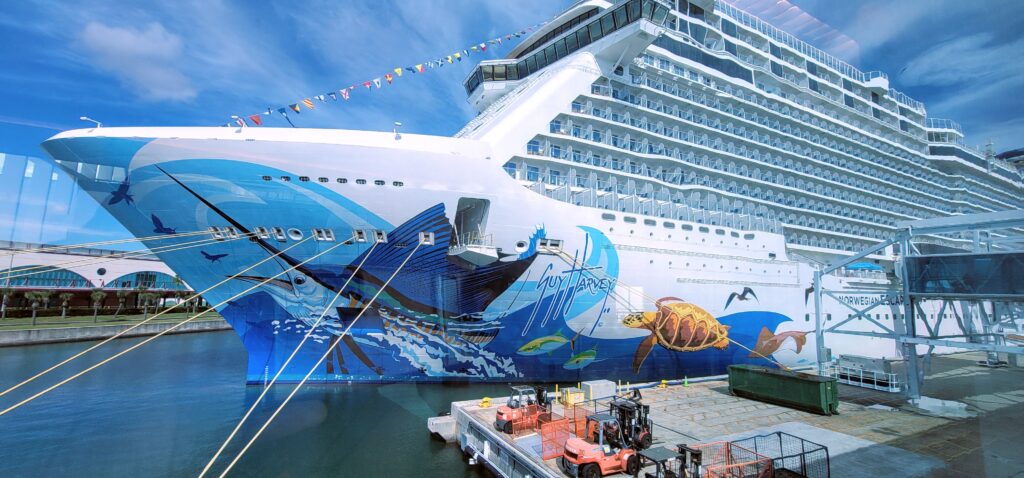
Norwegian Cruise Line is another major cruise company that is embracing modern technology, but Apple Pay and mobile payments are not yet fully integrated.
Like many cruise lines, most payments on NCL ships are made using the ship’s keycard, which is tied to your onboard account.
Track Norwegian’s Mobile Payment Progress and Apple Pay Support:
- Retail Stores: Some of the newer ships in the fleet may support Apple Pay in select onboard stores.
- Restaurants And Bars: The use of Apple Pay is limited, with the primary payment method still being the ship’s keycard system.
Discover Apple Pay Options on Celebrity Cruises’ Modern Fleet
Celebrity Cruises offers a premium cruise experience, and while they are incorporating advanced technology in many aspects, Apple Pay is not widely available.
Most transactions onboard are completed using your SeaPass card, which is linked to your account for all payments.
Learn Where Apple Pay Works on Celebrity Cruises for Easy Payments:
- Some newer ships or specific areas of ships may accept Apple Pay for payments.
- For most purchases, you’ll need to use your SeaPass or credit card linked to your onboard account.
Use Google Pay Onboard for Contactless Cruise Purchases
Similar to Apple Pay, Google Pay is gradually being adopted by cruise lines but is not yet universally available.
Google Pay works in the same way as Apple Pay, allowing users to make payments with their Android smartphones through NFC (Near Field Communication) technology.
Find Google Pay Access on Select Royal Caribbean Ships
Royal Caribbean has embraced technology advancements on some of its ships, meaning that if a ship accepts Apple Pay, it is also likely to accept Google Pay.
For instance, on ships like the Harmony of the Seas and Symphony of the Seas, you might find Google Pay accepted in certain onboard stores and restaurants.
However, these systems are still in the early stages, and passengers should confirm if their specific sailing supports Google Pay.

Grab Your Ticket to Paradise with These Deals!
Check Google Pay Availability on Carnival Cruise Line
Carnival Cruise Line is also experimenting with mobile payment options, but they are more likely to offer traditional payment methods like onboard cards for most transactions.
While you might be able to use Google Pay in a few select areas, it’s not the norm just yet.
This may change as more ships upgrade their onboard payment systems.
Explore Google Pay Support on Norwegian Cruise Line Ships
Norwegian Cruise Line (NCL) has started testing digital payment options, but like Apple Pay, Google Pay is not widely supported across the fleet.
You will most likely need to rely on your cruise keycard for purchases.
Over time, this might change as NCL enhances its payment systems, especially on newer ships with updated technology.
Set Up Mobile Payments Before Your Cruise for Seamless Spending
Setting up Apple Pay or Google Pay before your cruise is essential if you plan to use mobile payments onboard.
Here’s how you can ensure you’re ready to use either payment system on your smartphone:
Unlock Your Dream Cruise with Exclusive Online Deals!

Set Up Apple Pay on Your iPhone for Cruise Purchases
- Open Settings: Go to the “Settings” app on your iPhone.
- Access Wallet & Apple Pay: Tap “Wallet & Apple Pay.”
- Add A Card: Follow the prompts to add a debit or credit card by either scanning the card or entering the information manually.
- Enable Face ID Or Touch ID: For added security, you can enable Face ID or Touch ID to authorize payments.
Apple Pay works with most credit and debit cards from major banks, so be sure to link a card that you plan to use during your cruise.
Set Up Google Pay on Your Android for Cruise Purchases
- Open Google Pay App: Ensure you have the Google Pay app installed on your Android phone.
- Add A Payment Method: Tap “Add Payment Method” and enter your card details.
- Enable NFC: Check that your phone’s NFC setting is on so you can make contactless payments.
With Google Pay, you can securely store multiple cards, and you will need to unlock your phone using a password, fingerprint, or facial recognition before making a payment.
Know Your Options If Your Cruise Ship Doesn’t Accept Mobile Payments
Even though some ships are starting to adopt Apple Pay and Google Pay, many still rely on more traditional payment methods.
If your cruise ship doesn’t accept mobile payments, don’t worry—you still have other options to pay for purchases onboard.
Use Cruise Cards and Onboard Accounts for All Ship Purchases
The most common payment method used on cruise ships is the onboard card system.
This card, which is usually your room key or a cruise card, is tied to your onboard account.
Every purchase you make, from drinks to spa treatments, is charged to this account, and you settle the balance at the end of your cruise.
When you first board the ship, you will provide a credit card that will be linked to your cruise card.
This is how the ship processes all of your onboard transactions.
Pay with Credit or Debit Cards Onboard and in Port
While cruise ships rely on onboard accounts for most onboard purchases, credit and debit cards are still widely accepted in certain areas, especially in shops and at some restaurants.
If you prefer not to rely on your mobile wallet or onboard card, carrying a credit card is a smart alternative.
Be sure to notify your bank about your travel plans to avoid any disruptions in service, and check that your credit card has no foreign transaction fees if you plan to use it in international ports of call.
Use Mobile Payments at Ports of Call for Shopping and Dining
Apple Pay and Google Pay can be convenient for shopping and dining at ports of call during your cruise.
However, their acceptance may vary depending on the location.
Find Apple Pay and Google Pay Acceptance in Port Shops and Restaurants
In larger cities and tourist destinations, mobile payments are becoming more common.
You may find that many shops and restaurants near popular cruise ports accept Apple Pay or Google Pay.
However, keep in mind that this is not universal, and it’s always a good idea to carry a backup payment option, such as a credit card or some local currency.
Check Mobile Payment Options at Souvenir Shops in Port
Smaller souvenir shops or vendors in more remote destinations might not have the capability to accept mobile payments.
Many still rely on traditional payment methods such as cash or credit cards, especially in less developed areas.
It’s wise to carry a small amount of local currency when visiting these ports to avoid any payment issues.
Stay Secure When Using Mobile Payments Onboard and Ashore
Mobile payments are generally secure, but it’s important to understand how to protect your information while traveling.
Enjoy the Benefits of Mobile Payments for Cruise Convenience
Apple Pay and Google Pay are designed with security in mind.
When you make a purchase using mobile payments, your card number is not shared with the merchant.
Instead, a unique transaction code is generated for each purchase, making it nearly impossible for hackers to steal your card information.
Additionally, both Apple Pay and Google Pay require biometric verification (Face ID, Touch ID, or a secure password), adding another layer of security to your transactions.
Protect Your Phone to Keep Mobile Payments Safe at Sea
Before boarding your cruise, make sure your phone is set up with strong security measures.
Use a password or biometric lock to prevent unauthorized access.
If your phone is lost or stolen during the trip, both Apple Pay and Google Pay allow you to disable the payment feature remotely via “Find My iPhone” or Google’s remote lock features.
Use Mobile Payments on Excursions Where Available
Many cruise excursions allow mobile payments, but this can depend on the destination and the type of excursion.
Check Mobile Payment Acceptance on Adventure Tours
In popular tourist destinations, guided tours or adventure activities may accept Apple Pay and Google Pay.
For example, city tours in European cities are likely to have vendors that support mobile payments.
However, excursions in remote areas, such as hiking trips in the jungle or less developed destinations, may not have mobile payment systems in place.
Always carry cash or a credit card for these situations.
Know If Beachside Vendors Accept Mobile Payments
If your cruise takes you to a tropical beach destination, it’s less likely that beachside vendors will accept mobile payments.
Most small, independent vendors prefer cash, especially for small purchases like drinks or snacks.
Make sure to have some local currency or a credit card on hand.
Discover the Benefits of Mobile Payments for Cruise Travelers
If your ship accepts Apple Pay or Google Pay, there are several advantages to using these payment methods.
Enjoy the Convenience of Mobile Payments Onboard
One of the biggest benefits of mobile payments is convenience.
You don’t have to worry about carrying around cash or cards when you’re out exploring the ship.
Whether you’re grabbing a cocktail by the pool or picking up a souvenir, you can make a quick payment with your phone.
Rely on Mobile Payment Security for Peace of Mind
Mobile payments offer an extra layer of security compared to traditional cards.
Since your card information is not stored on the ship’s system, the risk of your data being compromised is lower.
This is especially important on a cruise, where onboard payment systems may not be as secure as those on land.
Track Cruise Spending in Real Time with Mobile Payments
Apple Pay and Google Pay allow you to track your transactions in real time.
You can monitor your spending directly from your phone, which helps you avoid overspending and keeps you on budget.
It also means fewer surprises when you review your onboard account at the end of your cruise.
Understand the Downsides of Mobile Payments at Sea
Despite the benefits, there are some drawbacks to using Apple Pay and Google Pay on a cruise.
Be Aware of Limited Mobile Payment Availability on Cruises
The biggest limitation of mobile payments on cruises is that not all ships accept them.
While newer ships are more likely to support these payment methods, many older ships still rely on traditional payment systems.
Before you board, check with your cruise line to see if Apple Pay or Google Pay will be available on your sailing.
Check Wi‑Fi and Network Needs for Mobile Payments Onboard
In some cases, mobile payments require internet access.
While onboard the ship, you may not always have access to a stable Wi-Fi connection, especially if the cruise line charges for internet use.
If you plan to use mobile payments, ensure your phone is connected to the ship’s internal network or check if offline payments are supported.
Know Port Restrictions for Mobile Payments During Your Cruise
While mobile payments are becoming more common in larger ports of call, they are still not universally accepted in smaller or remote destinations.
Always have a backup payment method, such as a credit card or local currency, to avoid any issues when shopping or dining onshore.
Learn Why Cruise Cards Can’t Be Added to Apple Pay or Google Pay
Currently, cruise lines do not allow you to add your cruise card or onboard account to Apple Pay or Google Pay.
While these mobile payment systems can be used in select shops or restaurants on newer ships, they are separate from the ship’s onboard account system.
However, some cruise lines are developing their own mobile apps that allow passengers to link their cruise cards for onboard purchases.
These apps can be used for contactless payments in some cases, but they are specific to each cruise line and may not be available on every ship.
Manage Tipping When Using Mobile Payments Onboard
Tipping is an important part of the cruise experience, and mobile payments can sometimes complicate this process.
Understand Auto‑Gratuities with Mobile Payment Purchases
Most cruise lines automatically add gratuities to your onboard account.
These auto-gratuities cover tips for the crew, such as your cabin steward and dining room staff, and are charged to your account at the end of your cruise.
If you’re using Apple Pay or Google Pay for purchases, these gratuities are typically included in the final bill.
Add Extra Tips When Mobile Payment Options Allow
If you want to leave additional tips for exceptional service, you can often do this through the ship’s payment system.
In some cases, mobile payments may allow you to add a tip to your transaction, but this depends on the ship’s technology.
If mobile payments don’t allow for tipping, you may need to use your cruise card or cash for additional gratuities.
Decide If Mobile Payments Are Worth Using on Your Cruise
Whether using Apple Pay or Google Pay on a cruise is worth it depends on several factors, including the ship’s payment system and your preferences.
See Why Mobile Payments Appeal to Tech‑Savvy Cruise Travelers
If you’re comfortable using mobile payments and prefer not to carry cash or cards, Apple Pay and Google Pay offer a modern and streamlined payment experience.
They can be especially useful for small purchases onboard or at ports of call.
Check Your Ship’s Policy Before Relying on Mobile Payments
Before relying solely on mobile payments for your cruise, check with your cruise line about their payment policies.
Some ships have fully embraced mobile technology, while others are still catching up.
Be prepared to use traditional payment methods if mobile payments are not widely accepted on your sailing.
Explore the Future of Mobile Payments in the Cruise Industry
The future of mobile payments on cruise ships looks promising.
As more cruise lines update their technology and offer contactless payment options, Apple Pay and Google Pay are likely to become more widely accepted.
See How Cruise Technology Innovations Are Expanding Mobile Payment Options
Cruise lines are constantly looking for ways to enhance the guest experience, and technology plays a big role in that.
From mobile check-in to digital room keys, cruise lines are investing in innovations that make cruising more convenient.
Mobile payments are just one part of this digital transformation.
As newer ships are built with advanced payment systems, passengers can expect to see Apple Pay and Google Pay available in more areas of the ship.
Keep an eye on cruise line announcements for updates on mobile payment options.
Know Cruise Mobile Payment Rules Before You Sail for a Hassle‑Free Trip
Apple Pay and Google Pay are convenient, secure ways to make purchases on a cruise, but they are not yet available everywhere.
While some cruise lines are adopting mobile payment systems, most transactions still rely on traditional methods like cruise cards or onboard accounts.
Before your cruise, check with the cruise line to confirm if mobile payments will be accepted on your ship.
Always have a backup payment method ready, such as a credit card or cash, to avoid any payment issues onboard or at ports of call.
FAQ – Mobile Payment Rules & Cruise Line Compatibility
Can I use Apple Pay on a cruise ship?
Some cruise lines accept Apple Pay in select onboard shops, bars, and restaurants.
Availability varies by cruise line, ship, and even location onboard.
Newer ships are more likely to support Apple Pay than older vessels.
Always confirm with your cruise line before sailing to avoid surprises.
Having a backup payment method ensures smooth transactions at sea.Which cruise lines currently support Apple Pay?
Royal Caribbean offers Apple Pay on certain newer ships in specific venues.
Carnival Cruise Line has limited Apple Pay availability on select ships.
Norwegian Cruise Line supports Apple Pay in some onboard stores and restaurants.
Celebrity Cruises may accept Apple Pay in limited areas on newer ships.
Support is expanding, but it’s not yet fleet‑wide for most lines.
Can I use Google Pay on a cruise ship?Google Pay works similarly to Apple Pay for contactless payments.
Some Royal Caribbean ships that accept Apple Pay also accept Google Pay.
Carnival and Norwegian have limited Google Pay support in select venues.
Acceptance is more common on newer ships with updated payment systems.
Always check with your cruise line before departure to confirm availability.What should I do if my ship doesn’t accept mobile payments?
Use your cruise card or onboard account for most purchases.
Link your cruise card to a credit or debit card at check‑in.
Carry a physical credit card for use in port or select onboard venues.
Bring some local currency for small purchases in ports of call.
Being prepared with multiple payment options avoids inconvenience.Are mobile payments accepted at ports of call?
Many shops and restaurants in major ports accept Apple Pay and Google Pay.
Smaller or remote destinations may not support mobile payments.
Souvenir shops in less developed areas often prefer cash or cards.
Carry a backup payment method when going ashore.
Acceptance varies widely by location and vendor.How secure are mobile payments on a cruise?
Apple Pay and Google Pay use tokenization to protect your card details.
Biometric verification adds an extra layer of security.
Your actual card number is never shared with the merchant.
Both systems allow you to disable payments remotely if your phone is lost.
These features make mobile payments safer than carrying physical cards.Can I use mobile payments on excursions?
Some excursions in major tourist areas accept Apple Pay and Google Pay.
Adventure tours in remote areas may not have mobile payment capability.
Beachside vendors often prefer cash for small purchases.
Always bring a credit card or local currency as a backup.
Check excursion details in advance to plan your payment method.Can I add my cruise card to Apple Pay or Google Pay?
Cruise lines currently do not allow cruise cards to be added to mobile wallets.
Some lines have apps that link your cruise card for onboard purchases.
These apps may allow contactless payments in certain venues.
App‑based payments are specific to each cruise line and ship.
Check your cruise line’s technology offerings before sailing.How does tipping work with mobile payments?
Most cruise lines add auto‑gratuities to your onboard account.
Mobile payment purchases usually include these gratuities in the bill.
Some venues allow you to add extra tips via mobile payment.
If not, use your cruise card or cash for additional gratuities.
Confirm tipping options with staff when using mobile payments.
Plan Your Next Cruise!

Sail in Style: Oceania Cruises’ Culinary Excellence, Cultural Immersion, and Refined Luxury
One Delay Can Cost Your Entire Cruise A quick coverage check now protects you from the problems no one sees coming….

Discover Silversea Cruises: Ultra‑Luxury Voyages to the World’s Most Exclusive Destinations
One Delay Can Cost Your Entire Cruise A quick coverage check now protects you from the problems no one sees coming….

Discover Princess Cruise Line: Elegant Ships, Immersive Voyages, and World‑Class Experiences
One Delay Can Cost Your Entire Cruise A quick coverage check now protects you from the problems no one sees coming….

Sail Into Modern Luxury: Celebrity Cruises for Design, Culinary Excellence, and Destination‑Rich Voyages
One Delay Can Cost Your Entire Cruise A quick coverage check now protects you from the problems no one sees coming….
Explore More

Cruise Electronics Checklist: What You Can Bring, What Gets Confiscated, and How to Stay Online

Relieve Tension Onboard: Cruise Hot Stone Massage Benefits and Booking Tips

Cruise Curfews for Minors — What Families Need to Know Before Sailing